
In this Surfer SEO review, I examine how Surfer SEO works in 2026 and whether its content optimization and AI-powered search visibility features justify the cost. It positions itself as a content optimization and AI-powered search visibility platform, helping with planning, writing, updating, and tracking search-focused content. The real question for buyers isn't whether Surfer has useful features; it clearly does.
What matters is whether those features actually save enough time and improve your publishing workflow enough to justify the cost. For a content team, agency, or business publishing regularly, Surfer can be a practical operating layer between keyword research and publication. Surfer also does not replace technical SEO, backlink research, analytics, conversion optimization, or expert editorial judgment.
Quick Verdict
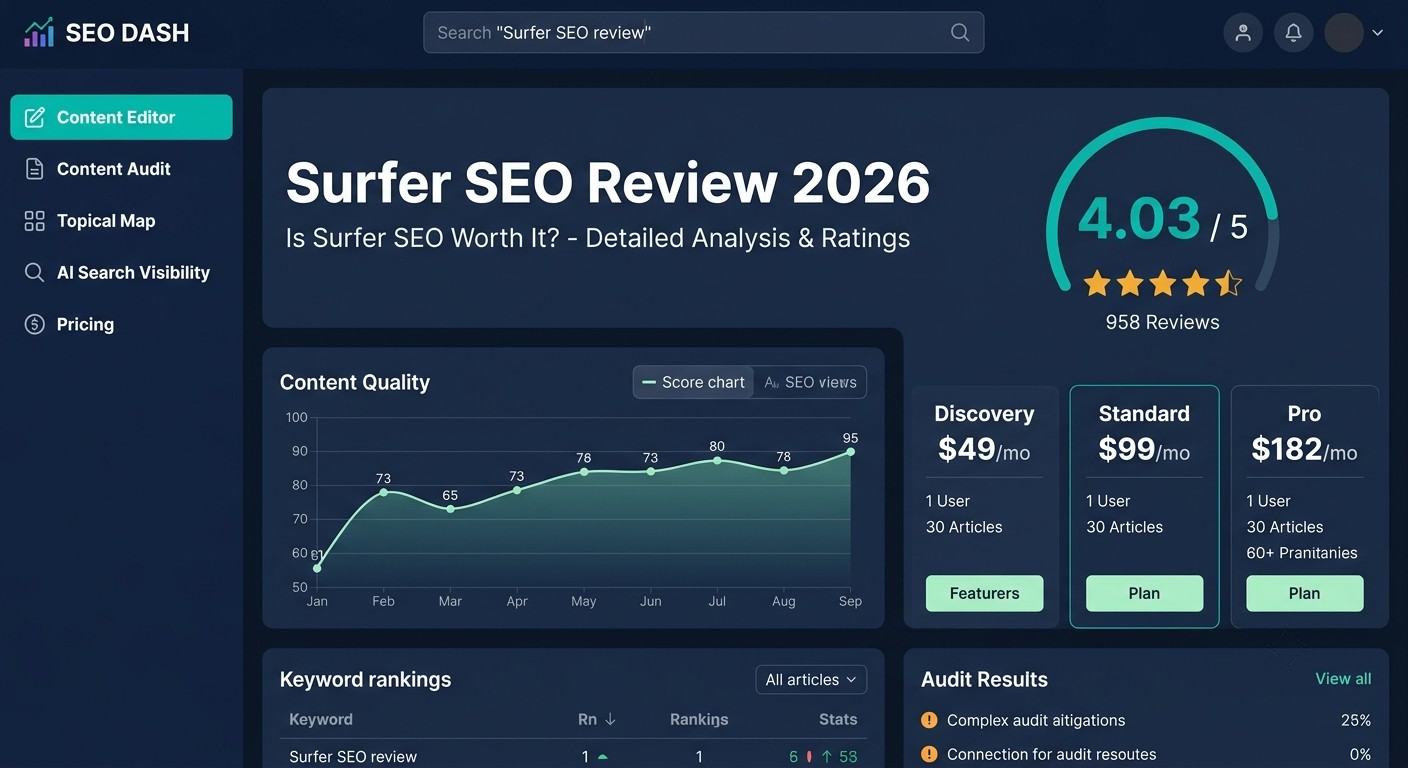
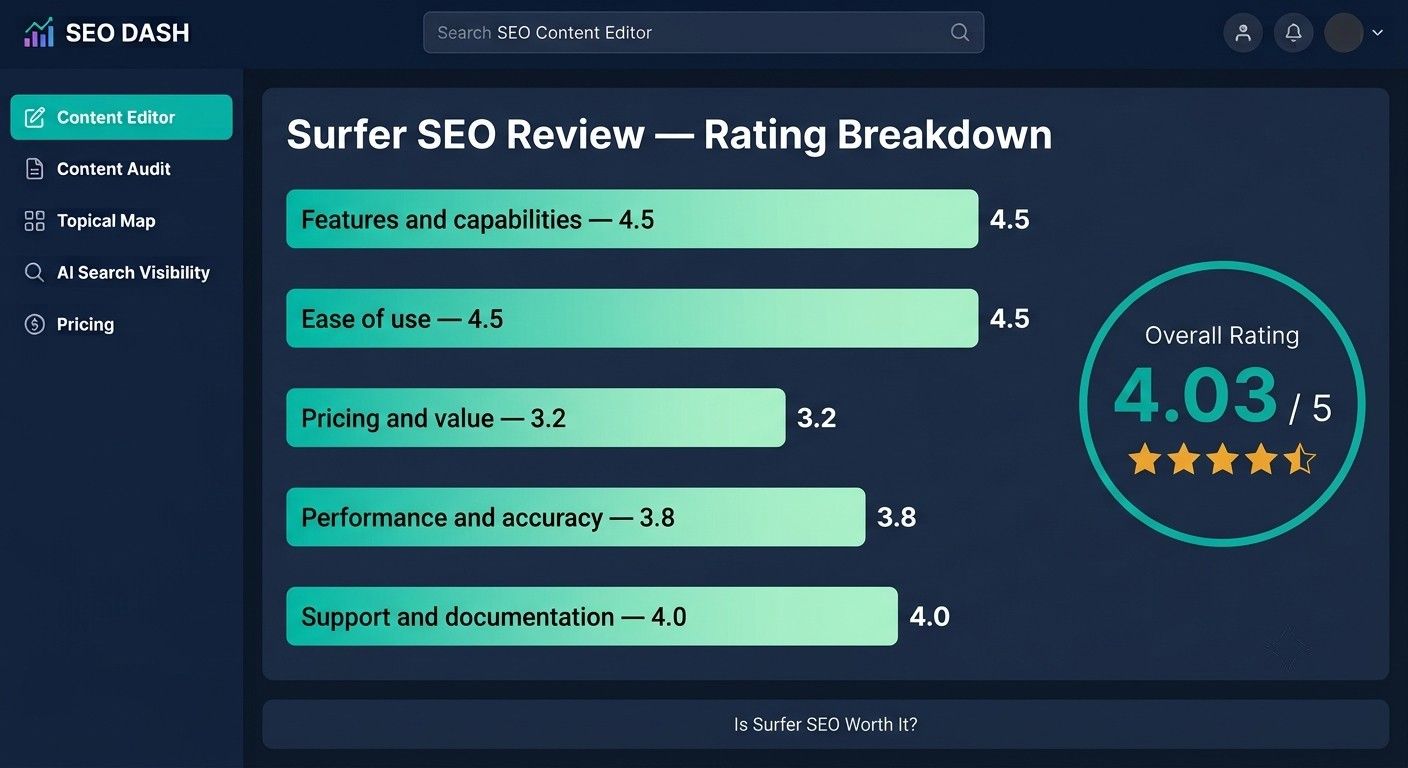
Overall Rating: 4.03/5 — Surfer is a strong content-optimization workflow, but its value depends heavily on publishing volume, plan limits, and whether you already need a broader SEO platform.
Best for: Content teams, agencies, and marketers producing or refreshing search-focused content every month.
Pricing: Discovery starts at $49 per month billed yearly. Standard costs $99, Pro costs $182, Peace of Mind costs $299, and AI Search Analytics costs $158 per month billed yearly. Enterprise pricing is tailored. Verify the live pricing page before purchase. Surfer pricing
Free trial: Surfer’s official documentation describes a 7-day trial with full Pro access for eligible new accounts. Billing details are required, and the selected subscription starts automatically after the trial unless canceled. Trial terms
Our verdict: Buy Surfer if you will use content briefs, the editor, audits, topical planning, and AI-search monitoring frequently. Skip it or test a lower-cost alternative if you publish only a few pages per year or mainly need technical SEO and backlink data.
Last updated: September 2026
Editorial policy: This article is based on official documentation, current pricing information, independent review-platform feedback, and publicly available product information. No personal testing is claimed because no genuine hands-on notes were supplied.
Surfer SEO Review: Is It Worth It?
Surfer is worth considering when the cost of manual content research is higher than the subscription. It can help a team organize topics, compare search results, brief writers, optimize drafts, refresh existing pages, and monitor visibility in traditional and AI-powered search.
That does not mean every buyer needs it. A solo blogger publishing one article occasionally may not consume enough documents, prompts, or tracked pages. A business with serious technical problems may get more value from a technical crawler, Search Console work, or an SEO consultant. An agency may justify the cost because the same workflow can be reused across multiple clients.
Surfer is easier to justify when it replaces repeated manual work rather than serving as an occasional keyword checker.
What Is Surfer SEO? A 2026 Review
Surfer SEO is a search-focused content platform. It analyzes search-result pages and provides guidance about topics, terms, headings, structure, content coverage, and optimization opportunities. Its current product also includes content audits, topical planning, internal-linking features, AI-assisted writing, and AI-search visibility tracking.
Surfer is best understood as an on-page content and editorial workflow tool. It is not a complete replacement for Semrush, Ahrefs, Google Search Console, a technical crawler, a backlink database, or an analytics platform.
Our Experience With Surfer SEO
After reviewing Surfer’s Content Editor, Content Score, topical planning, audits, and AI-assisted writing workflow alongside verified user feedback, I found the platform most useful for organizing content and identifying topic and keyword gaps. Real-time recommendations can speed up optimization, but I wouldn’t follow them mechanically because some suggestions may make copy feel repetitive or over-optimized.
I also found that AI-generated facts and references require careful checking, and the subscription may be difficult to justify for occasional publishers. Overall, Surfer appears most valuable for teams that publish and refresh content regularly, rather than users looking for a low-cost, all-in-one SEO solution. Capterra reviews
Key Features and What They Mean for Buyers
- Content Editor and Content Score
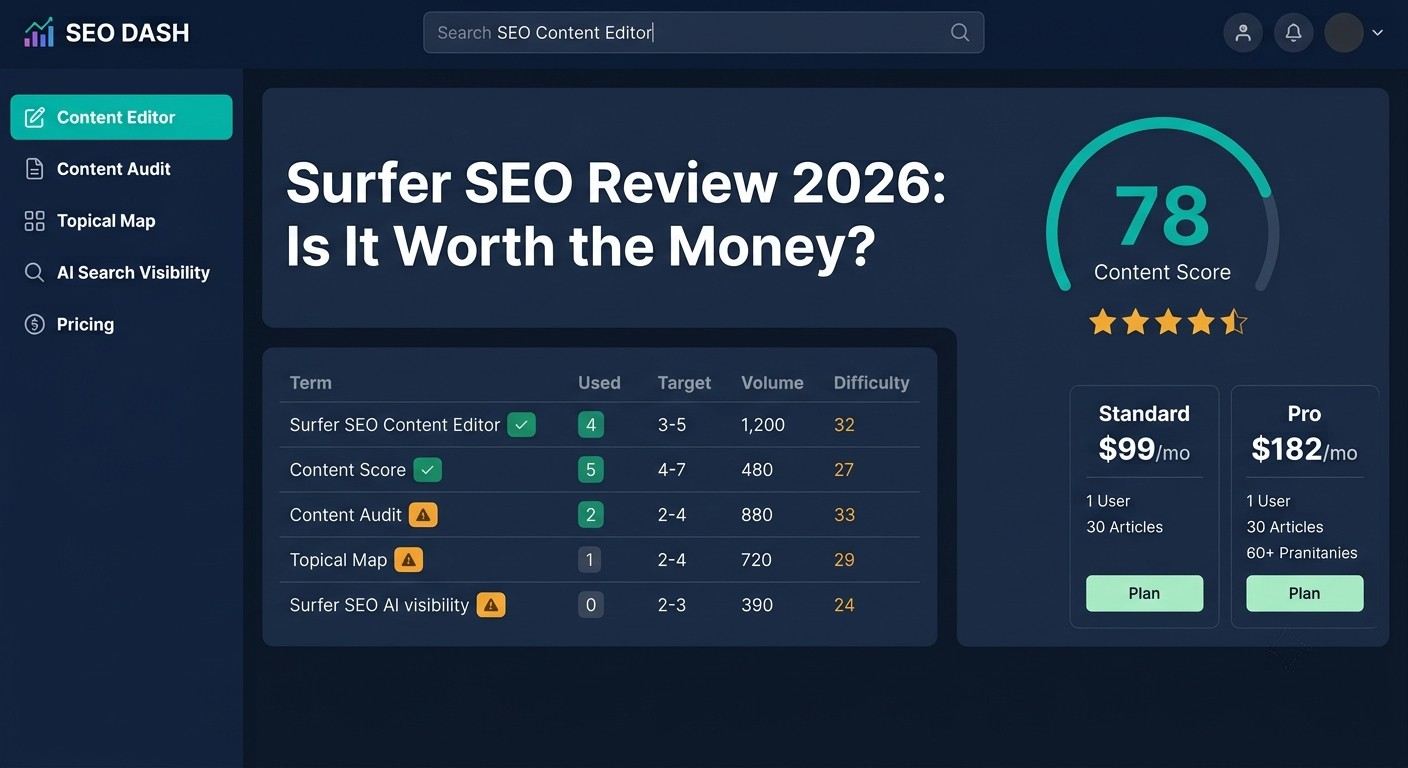
- The Content Editor is Surfer’s central feature. It provides an environment for planning and improving an article around a target query. Surfer documents features such as content importing, outlines, term recommendations, sharing, content scoring, and optimization guidance. Content Editor documentation
- For a writer, the main benefit is feedback during drafting rather than a separate optimization review at the end. For an editor, the tool can create a more consistent review process across freelancers and internal writers.
The important limitation is that Content Score is not a Google ranking score. It is a directional benchmark based on content and search-result signals. A higher score does not prove better search intent, expertise, originality, usefulness, or conversions.
Do not add every suggested term simply to raise the score. A natural, accurate article with first-hand knowledge can be more useful than a longer article that copies the language and structure of competing pages.
- AI writing and Humanizer features
Surfer’s current plans include AI-assisted writing and optimization features such as Surfy, AI SEO Optimization, AI Detector, and Humanizer on selected plans. These features can help generate a starting outline, develop a draft, or suggest revisions. Surfer pricing
The buyer should treat AI output as draft material. Verified public feedback includes concerns about inaccurate information and references in AI-generated content. That is an individual user report rather than a platform-wide accuracy test, but it supports a sensible rule: fact-check every generated claim, statistic, citation, product detail, and recommendation.
Humanizer features also should not be treated as a substitute for original expertise. Editing words to sound less machine-written does not automatically make content accurate, useful, or trustworthy.
- Content Audit and page refreshing
Content Audit is more useful for an existing site than for a brand-new blog. It helps identify pages that may need clearer coverage, better structure, updated information, or other content improvements. Surfer’s product materials also describe page 1tracking and ranking-drop alerts. Surfer dashboard documentation
This workflow can help teams prioritize a large content library. It cannot prove that an edit will increase traffic. Before changing a page, check its search intent, backlinks, conversions, technical status, and business value. After publishing, measure impressions, clicks, CTR, rankings, and conversions in Search Console and analytics.
- Topical Map and content planning
- Topical Map helps users identify article ideas, content gaps, and related subject areas. The feature is useful when a team has a broad market to cover but no clear content sequence. Topical Map documentation
Use topical planning alongside customer interviews, sales questions, support tickets, original data, and subject-matter expertise. Search results show what is visible, not necessarily what your audience most needs.
- AI-search visibility tracking
Surfer’s current pricing pages describe visibility tracking across services and search experiences, including ChatGPT, Gemini, Google AI Overviews, Google AI Mode, and Perplexity. Prompt limits and refresh frequency vary by plan. Surfer pricing
This is useful for brands that want to monitor whether AI systems mention them or competitors. It is not the same as measuring Google rankings, website traffic, citations, leads, or sales. Results can change because of prompt wording, language, location, model updates, answer variability, and the information available to each system.
Treat AI visibility as a directional monitoring signal. Do not promise clients that a higher visibility score will produce a specific number of citations or conversions.
- Integrations and collaboration
Surfer’s public materials and user feedback describe workflows involving tools such as Google Docs and content-publishing systems. Collaboration features are particularly relevant for agencies and distributed teams because writers and editors can work from shared recommendations rather than separate spreadsheets.
Before buying, verify which integrations are available on the selected plan. An integration name on a product page does not always mean every workflow or automation is included in every tier.
Surfer SEO Pricing 2026
The official pricing page displays the following prices in USD with annual billing for the self-serve plans. Annual plans, limits, taxes, and checkout conditions should be verified immediately before purchase because software packaging can change. Official pricing page
| Plan | Displayed price | Main limits or inclusions | Best for |
|---|---|---|---|
| Discovery | $49/month billed yearly | 120 documents, 10 tracked pages, AI SEO guidelines, Surfy, Humanizer | Solo creators testing the workflow |
| Standard | $99/month billed yearly | 360 documents, 50 tracked pages, 25 AI prompts refreshed weekly, collaboration and integrations | Small content teams |
| Pro | $182/month billed yearly | 360 documents, 200 tracked pages, 50 AI prompts refreshed daily, five brand spaces | Growing teams and multi-brand work |
| Peace of Mind | $299/month billed yearly | Unlimited* documents, 500 tracked pages, 100 AI prompts refreshed daily, API and advanced support | Larger teams and agencies |
| AI Search Analytics | $158/month billed yearly | 100 AI prompts refreshed daily, mention gap, sentiment, five brand spaces | Teams focused on AI visibility |
| Enterprise | Tailored | Custom limits, security, onboarding, white label, priority support | Large organizations |
The official trial documentation says eligible new accounts can receive seven days of full Pro access. Billing details are required, and the selected plan begins automatically after the trial unless canceled. Read the cancellation terms before starting. Trial documentation
Which plan is most sensible?
Discovery is mainly a low-commitment way to test the workflow. Standard is the most logical starting point for a small team that publishes consistently. Pro makes sense when multiple brands, daily AI visibility refreshes, internal linking, coverage-gap features, or larger tracking limits will be used. Peace of Mind should be reserved for operations that actually need its support, API, and scale.
Do not choose a tier based on the highest document limit alone. Estimate how many articles you will create, how many existing pages you will audit, how many brands you manage, and how often you need AI-visibility data.
Surfer SEO ROI: When Does It Pay Off?
Use this basic calculation:
Monthly ROI = value of time saved + value of additional productive output + attributable organic-search revenue − subscription and add-on costs.
During the trial, measure:
- Time required to create a brief.
- Time required to optimize an existing page.
- Documents and prompts consumed.
- Number of pages published or refreshed.
- Editing time after AI assistance.
- Impressions, clicks, CTR, leads, and sales.
- Whether the final content remains natural and accurate.
A ranking improvement is not proof that Surfer caused the result. Search performance also changes because of links, technical work, seasonality, competitors, algorithm updates, and changes in search intent.
Pros and Cons
Pros
- Useful real-time content guidance: Verified users frequently praise the Content Editor and SERP-based recommendations.
- Connected editorial workflow: Planning, optimization, audits, and visibility monitoring sit closer together than they do in a collection of separate tools.
- Strong fit for repeat publishing: Agencies and content teams can standardize briefs and reviews across writers.
- Helpful planning features: Topical Map and coverage-gap functions can support a structured content calendar.
- Current AI-search focus: Visibility tracking gives brands another way to monitor how search behavior is changing.
- Multiple plan levels: Buyers can start with Discovery and move upward if their workload grows.
Cons
- Cost is high for occasional users: The subscription is difficult to justify if only a few pages are published each year.
- Limits affect the real cost: Documents, tracked pages, prompts, workspaces, and refresh frequency vary by tier.
- Recommendations can become mechanical: Chasing terms and scores too aggressively can make content repetitive or unnatural.
- AI output needs close review: Generated facts, sources, and product claims should be checked before publication.
- Not a complete SEO suite: Buyers may still need separate tools for backlinks, technical crawling, rank tracking, analytics, and conversions.
- Pricing and packaging can change: Older reviews may describe different plan names and limits, so use current official pages when comparing costs.
See Surfer in Action →
Who Should Use Surfer SEO?
Bloggers and solo creators
Surfer may help a blogger publishing several search-focused articles each month. It is less attractive for occasional publishing, especially when annual billing makes unused capacity expensive.
Small businesses
Surfer can be useful when a business has a content backlog, several pages that need refreshing, and a writer or editor responsible for consistent optimization. It is not the first purchase if the site has serious indexing, speed, tracking, or conversion problems.
Agencies
Agencies have the clearest case for higher plans because the cost can be distributed across clients. Before buying, confirm client separation, workspace limits, permissions, exports, reporting, and whether a separate rank tracker is required.
In-house content teams
Surfer is a good match for teams that need a shared content standard. It can help writers and editors discuss the same recommendations, but the team should define editorial rules so that the score does not override brand voice, expertise, or reader value.
Not ideal for
Surfer is not ideal for buyers who want a full backlink database, a deep technical crawler, comprehensive rank tracking, or a low-cost unlimited AI writer. It is also a poor fit for anyone who plans to follow every recommendation without human review.
Surfer SEO Alternatives
| Tool | Best use case | Main advantage over Surfer | Main trade-off |
|---|---|---|---|
| Clearscope | Premium editorial optimization | Clean content grading and collaborative workflow | Higher entry price and usage credits |
| Semrush | Broad SEO operations | Technical SEO, keywords, competitors, rank tracking, and reporting | More complex and often more expensive |
| Ahrefs | Backlinks and SEO research | Strong backlink and competitor research | Less centered on a single content-production workflow |
| Frase | Lower-cost content workflows | Content research and AI-assisted drafting | Verify current limits and depth before purchase |
| SE Ranking | Broader SEO at a different price structure | Wider SEO toolkit and flexible plans | Content features and limits vary by package |
| MarketMuse | Topic modeling and content strategy | Strategic topic analysis | Premium pricing and a more specialized workflow |
Choose Surfer when the main need is content production and on-page optimization. Choose Clearscope when a premium editor and shared grading experience matter most. Choose Semrush or Ahrefs when the main problems involve technical SEO, backlinks, competitor research, or rank tracking.
Frequently Asked Questions
Is Surfer SEO worth it for a small business?
It can be worthwhile if the business publishes or refreshes content consistently and will use the editor, audits, and planning features every month. It is less suitable when the site needs technical repairs, backlink development, or conversion work first. Estimate monthly usage before selecting a plan.
How much does Surfer SEO cost in 2026?
The official page displays Discovery at $49, Standard at $99, Pro at $182, and Peace of Mind at $299 per month billed yearly. AI Search Analytics is listed at $158 per month billed yearly. Enterprise pricing is tailored. Prices and limits should be checked before purchase. Pricing
Does Surfer SEO have a free trial?
Yes. Surfer’s official documentation describes a seven-day full Pro trial for eligible new accounts. Billing details are required, and the subscription begins automatically after the trial unless canceled. Trial terms
Does Surfer SEO guarantee rankings?
No. Surfer provides recommendations based on content and search-result signals. Rankings also depend on intent, originality, expertise, technical health, links, competition, user satisfaction, location, and search-system changes.
Should I aim for a perfect Content Score?
No. Use Content Score as a directional benchmark. Prioritize accurate information, search intent, original insight, readability, accessibility, internal links, and conversion intent. A perfect score does not guarantee a ranking or a useful article.
Can Surfer replace Semrush or Ahrefs?
Usually not. Surfer is more focused on content and on-page workflows. Semrush and Ahrefs provide broader capabilities around keywords, competitors, backlinks, technical SEO, rank tracking, and reporting. Some buyers may use both a content optimizer and a broader SEO suite.
Is Surfer SEO good for agencies?
It can be, particularly when an agency produces many content assets and needs repeatable writer guidance. Confirm workspaces, tracked pages, documents, prompts, client reporting, API access, and white-label requirements before selecting a higher tier.
Does Surfer SEO work for multilingual content?
Surfer markets multilingual writing and optimization capabilities, but buyers should validate the quality of recommendations for their target language and country. Country selection is not proof that search intent, terminology, and content quality are equally reliable in every language. Use native-speaker review.
Conclusion: Should You Buy Surfer SEO?
Surfer SEO is a capable content-optimization platform with a stronger case for teams than for occasional publishers. Its best features are connected: topic planning, SERP-based guidance, content editing, audits, collaboration, and AI-search monitoring. Verified public feedback supports its usability and workflow value, while also highlighting price, limits, formulaic recommendations, and AI-quality concerns.
The most sensible buyer is a business, agency, or content team that publishes often enough to use the subscription every month. The least suitable buyer is someone who needs a complete SEO suite, publishes infrequently, or expects an AI tool to create accurate and original content without editorial review.
Start with the trial. Test one new brief, one existing-page refresh, one integration, and one cost-per-published-page calculation. If the workflow saves measurable time without weakening quality, Surfer may justify its price. If the credits remain unused or technical and backlink work dominates your needs, choose a broader or cheaper alternative. Overall, this Surfer SEO review shows that the platform is most useful for teams that publish and refresh content regularly.